

Skip to content

Icad Materials Scan

Let's capture reality

Materials scanner

Digitize real materials with precision and turn them into textures ready to use in your 3D footwear models
Icad Materials Scan
Customize your materials freely

Customize your materials freely

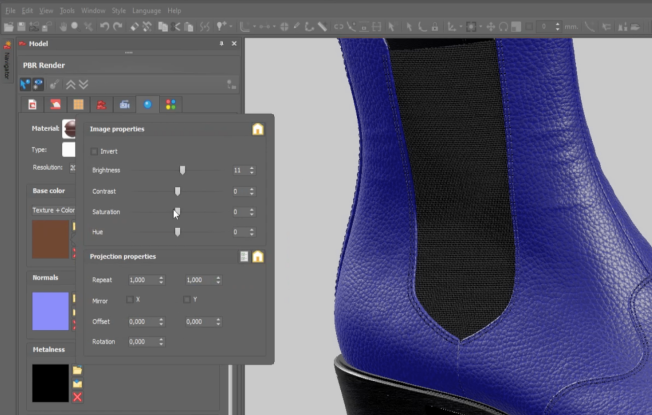
A world of possibilities at your fingertips. Capture accurate material data such as color, gloss and texture in just minutes through an intuitive interface, and customize every value with endless combinations for your design process.
01
Materials ready for your mission

Materials ready for your mission

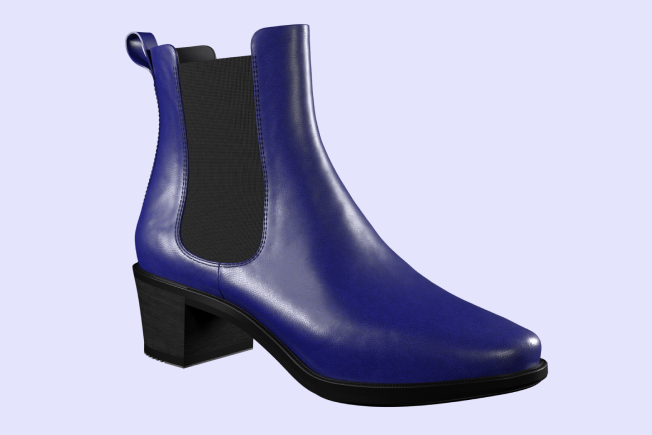
Once digitized, your materials are ready to be seamlessly integrated into other Icad solutions such as Icad Evolve, Icad Lancer or Icad Workspace, enabling a continuous workflow throughout the entire footwear creation and design process.

02

Some features

What makes Icad Workspace unique?

Centralized cloud management

All project files are stored in a secure cloud environment, ensuring instant access, version control, and elimination of duplicate or outdated information.

Complete product traceability

Icad Workspace stores metadata and records every change, decision, and version, providing full visibility of the product’s evolution from concept to production.

3D and 2D browser visualization

Review 3D models and 2D patterns directly from the browser without local installations, enabling fast technical and commercial validation.

Reusable libraries and collections

Create structured collections of lasts, components, materials, and models to streamline workflows and accelerate future developments.

3D Configurator

Validate digital prototypes by testing materials and colors in real time and analyze model variations before moving into production.

eCommerce

Integrate digital models directly into online sales environments to display products with interactive visualization, configurable variants, and dynamic client ready presentations.

Faster cross department decisions

Enable synchronized collaboration between teams, reducing delays, miscommunication, and costly rework during product development.

Version tracking and change control

Monitor revisions and maintain a structured history of updates to prevent data loss and support reliable decision making.

Client presentation tool

Share interactive digital prototypes for review and approval without sending files or producing physical samples.

Advanced access management

Define permissions by user, team, or department and control who can view or edit information across the system.

API integration

Connect Workspace with other enterprise systems to synchronize data and automate internal workflows.

Our training

The first subscription to any Icad solution requires specialized initial training, ensuring that you can master the tool and get the most out of it from day one

Icad Materials Scan
Plans:

SCANNING FEATURES

Check Quickly, easy and accurately digitization of any real life material or collection

Check Scan high quality textures in a controlled environment

Check Automatic calibration of the image capture system

AUTOMATIZATION AND USABILITY

Check Easy use of the interface and system

Check Tray to place the material

Check Automatic calibration of the image capture system

Check Fast scanning with a high level of accuracy

Check Create and manage a library of your virtual materials

COMPATIBILITY

Check Integration with Icad Universe (Icad Lancer and Icad Evolve)

Check Files valid for any CAD system

Check One scanner can serve different workstations

Check Support for wired and wireless connectivity

Check No drivers or special configurations are needed

Check Connection via WIFI

what's new

Discover the latest Icad updates that revolutionize footwear creation

Privacy Overview

This website uses cookies so that we can provide you with the best user experience possible. Cookie information is stored in your browser and performs functions such as recognising you when you return to our website and helping our team to understand which sections of the website you find most interesting and useful.