Skip to content

Icad Insoles Scan

From footprint to digital

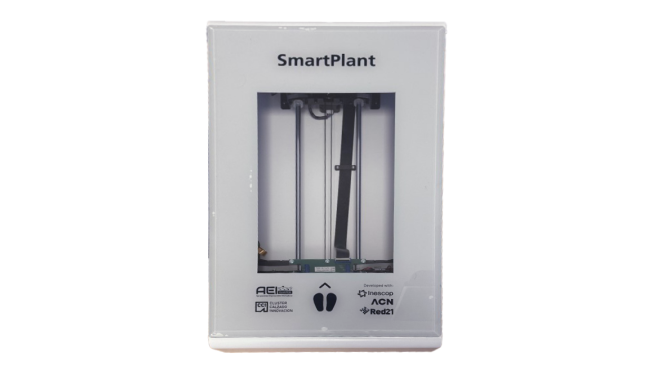
3D Plantar Scanner

Portable scanner for the digitization and reconstruction of the sole of the foot.

Icad Insoles Scan
Take it everywhere

Take it everywhere

Easily transport your sole scanner thanks to its lightweight and small size. Easily adjust the positioning of the foot and visualize how the scan process is being performed at all times.
01
A goal in mind

A goal in mind

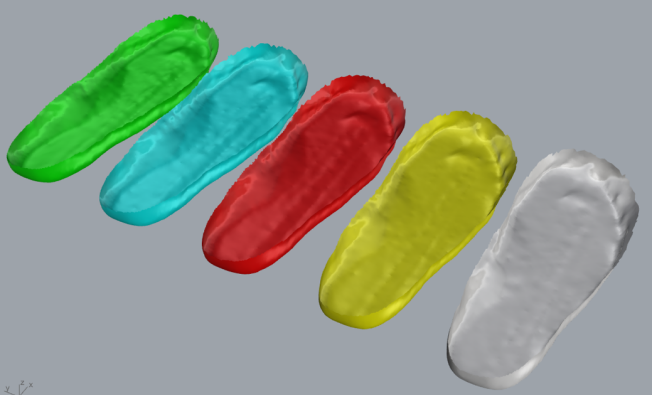
Use the digitalizations to create customized insoles in Icad Insoles, or other Insoles design softwares, and customize them to respond to individuals needs.

02

Some features

What makes Icad Workspace unique?

Centralized cloud management

All project files are stored in a secure cloud environment, ensuring instant access, version control, and elimination of duplicate or outdated information.

Complete product traceability

Icad Workspace stores metadata and records every change, decision, and version, providing full visibility of the product’s evolution from concept to production.

3D and 2D browser visualization

Review 3D models and 2D patterns directly from the browser without local installations, enabling fast technical and commercial validation.

Reusable libraries and collections

Create structured collections of lasts, components, materials, and models to streamline workflows and accelerate future developments.

3D Configurator

Validate digital prototypes by testing materials and colors in real time and analyze model variations before moving into production.

eCommerce

Integrate digital models directly into online sales environments to display products with interactive visualization, configurable variants, and dynamic client ready presentations.

Faster cross department decisions

Enable synchronized collaboration between teams, reducing delays, miscommunication, and costly rework during product development.

Version tracking and change control

Monitor revisions and maintain a structured history of updates to prevent data loss and support reliable decision making.

Client presentation tool

Share interactive digital prototypes for review and approval without sending files or producing physical samples.

Advanced access management

Define permissions by user, team, or department and control who can view or edit information across the system.

API integration

Connect Workspace with other enterprise systems to synchronize data and automate internal workflows.

Our training

The first subscription to any Icad solution requires specialized initial training, ensuring that you can master the tool and get the most out of it from day one

Icad Insoles Scan
Plans:

SERVICES INCLUDED

Check Installation included

Check Configuration included

Check Training course included

SCANNING AND CUSTOMIZATION

Check Definition of scanning parameters

Check Customization and placement of inserts and extra elements on the insole

Check Dot filtering and automatic reconstruction of the scanned object

Check 3D application to scan, reconstruct, visualize and export

Check Creation of customized Insole from the digitized plant or phenolic foam

USE AND ERGONOMICS

Check Reduced dimensions and weight

Check Real-time visualization of the digitalization obtained during the scanning process

INTEGRATION AND COMPATIBILITY

Check Export geometries in the main commonly used formats (OBJ and STL formats)

Check Exported files are prepared for use with Icad Insoles software

Check Integration with Icad Universe

Check Plug&Play (PnP) device via USB port, compatible with any computer with Windows

what's new

Discover the latest Icad updates that revolutionize footwear creation

Privacy Overview

This website uses cookies so that we can provide you with the best user experience possible. Cookie information is stored in your browser and performs functions such as recognising you when you return to our website and helping our team to understand which sections of the website you find most interesting and useful.